QR Code Generator
Create QR codes from URLs, plain text and more: free, with custom colors and high-quality PNG download. Everything is generated locally in your browser.
How to use
- Type a URL, text or anything else into the box above.
- Choose the size, error-correction level and colors, then click "Generate QR".
- The QR code appears instantly: click "Download PNG" to save a high-resolution image.
- A higher error-correction level keeps the code scannable even when partially covered, but makes it denser.
FAQ
How much data can a QR code hold?
Is my content uploaded to a server?
Which QR standard is used?
Screenshots
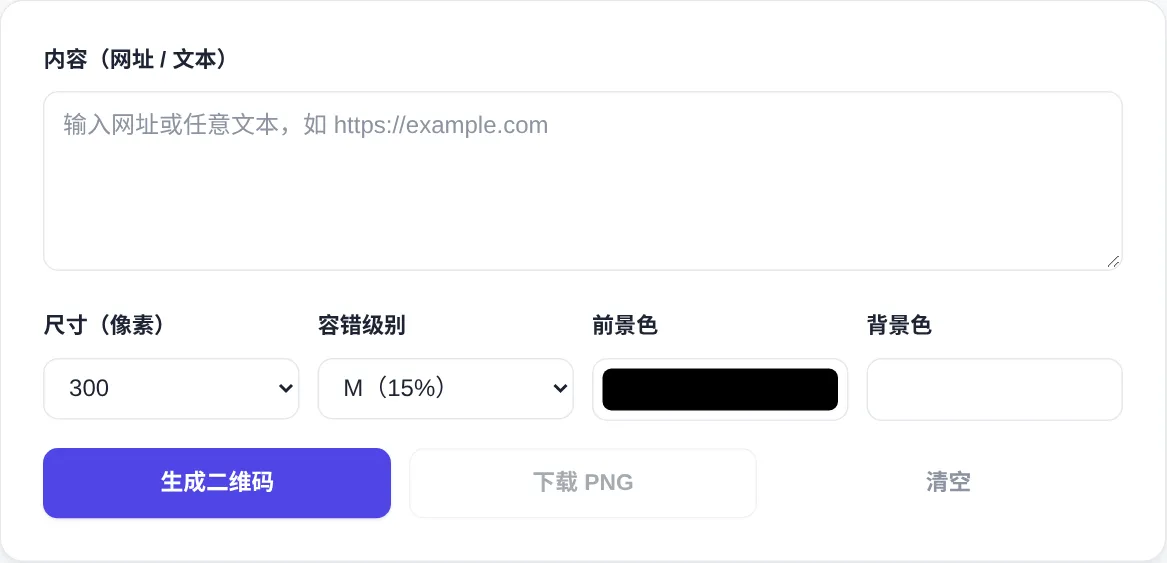
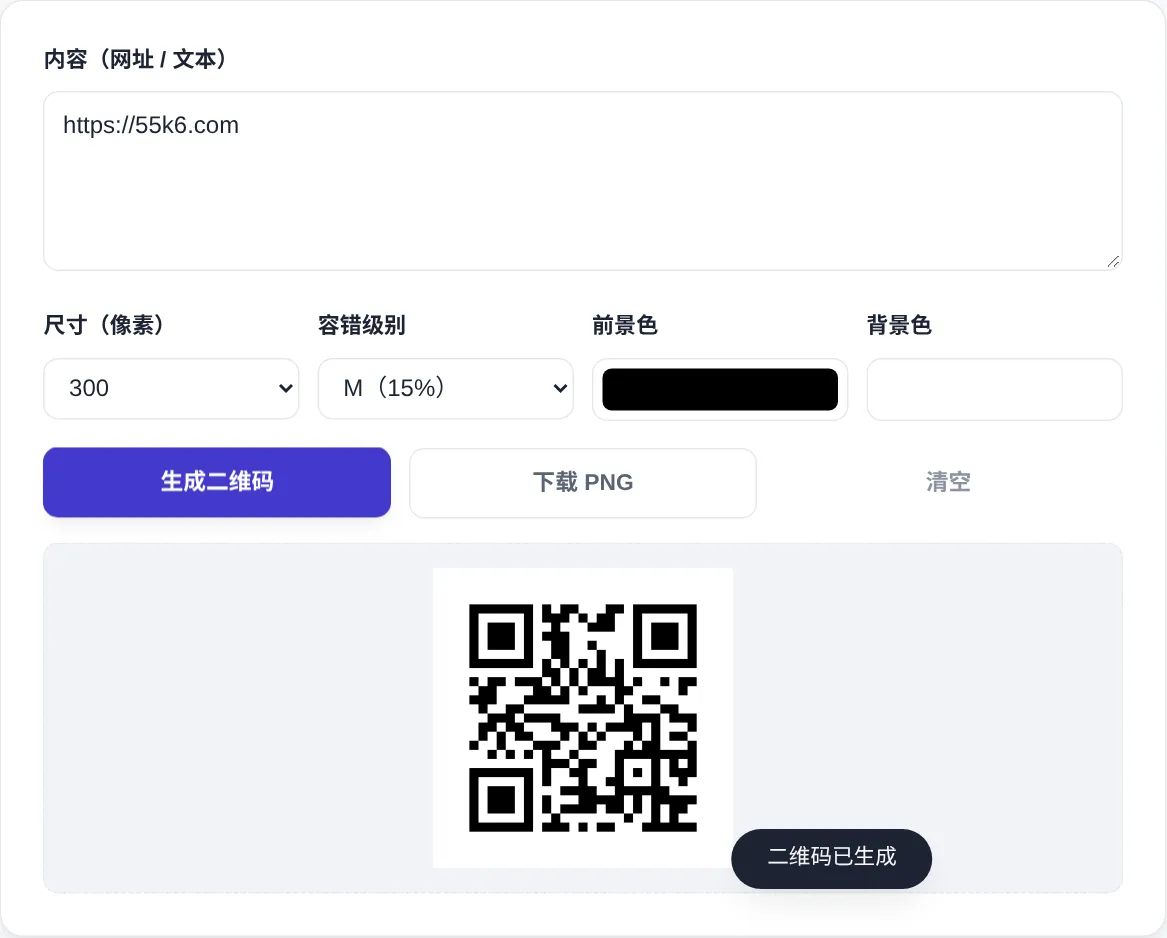
How to use
- Enter your content
Type a URL or any text into the Content box, for example a landing page link. Denser codes come from longer content, so stay under about 2000 characters.
- Set size and error correction
Size offers 200-800 px. Error correction runs L/M/Q/H with 7-30% redundancy: higher levels survive damage better but render a denser pattern.
- Customise the colors
Use the Foreground and Background color pickers to restyle the code. Keep a dark code on a light background so contrast stays high for scanners.
- Generate and test-scan
Click Generate QR for an instant preview, then scan it with a real phone. That step is essential with custom colors or a low error-correction level.
- Download the PNG
Once it scans reliably, press Download PNG to save the image at the selected size. 800 px suits print and signage, and 300 px is plenty for screens.
About this tool
This generator encodes URLs or text into standard QR Code (ISO/IEC 18004) that WeChat, Alipay, camera apps and major scanners can read. Error-correction levels L through H add 7-30% redundancy. Higher levels survive more damage or partial occlusion, at the cost of a denser pattern. Encoding runs entirely in your browser, and nothing you type is uploaded.
It suits business cards, posters, product packaging and event check-in, where a printed code replaces typing a long URL. Level M (15%) covers most everyday uses. Printed items that may scuff or glare are safer at H (30%). When content is long, shorten the link first so the pattern stays easy to scan from a distance. Test a printed sample before the full run.
How it works
The standard defines 40 versions, growing from 21×21 to 177×177 modules, and longer content automatically promotes the code to a higher version. Three finder patterns in the corners allow reading at any orientation. A timing stripe calibrates the module coordinates, and the encoder tests eight mask patterns to keep the black-and-white distribution even. Those choices together are why a slightly crumpled or skewed code still scans on the first attempt. The same robustness retired older one-dimensional barcodes.
Levels L, M, Q and H add roughly 7%, 15%, 25% and 30% redundancy through Reed-Solomon codes. Damage inside that budget is reconstructed, while higher levels spend more modules on safety and hold less data. The quiet zone is part of the standard too: four blank modules of margin on every side. Keep poster copy out of that ring. A QR code also carries no encryption, and anyone who can read the pattern can decode it, so never encode secrets. Re-scan after every change of colour, size or compression, and check a printed proof before the full run.
When to use it
- Business cards and flyers
Print a link onto cards and leaflets, exported at 800 px with level H to survive wear and glare. Scan a printed proof once before the full run, and never trust the screen preview alone.
- Event signage and check-in
Table tents, roll-up banners and counter stickers all carry codes. Match the printed size to the scanning distance, because the farther away people stand, the larger the code needs to be. Test from where they will actually stand.
- Asset and parcel labels
Encode an order number, asset ID or setup note onto equipment labels so a phone scan reveals the details. CJK text packs more per character, but keep payloads modest and verify with a real scan.
Tips & tricks
- Pure digits can hold roughly 7000 characters, but keep ordinary text under about 2000 or the pattern becomes too dense to scan.
- Inverted codes (light pattern on dark background) fail on some scanners. Stick to a dark code on a light base whenever possible.
- Export at 800 px for print; 300 px is enough on screen, keeping files small and pages fast.
Things to watch
- Inverted codes scan poorly
Reversing the colours visibly drops recognition, especially at low error-correction levels. Most scanners are tuned for dark modules on a light field, so keep the design dark-on-light if you can. If the design demands inversion, test it on several phones first.
- The quiet zone is not optional
Four blank modules on every side are part of the spec. Poster layouts that press captions against the code break the finder patterns, because the margin is the decoder's reference frame, not decoration.
- Dense codes blur in print
Long payloads push the code to higher versions with tiny modules that blur on laser prints and newsprint. Shorten links first, trim text to essentials, and remember scan success falls fast as modules shrink.