Base64 Encode/Decode
Encode and decode Base64 online with full UTF-8 and Unicode support for Chinese, emoji and more. Swap results to verify instantly: all processed locally, nothing is uploaded.
How to use
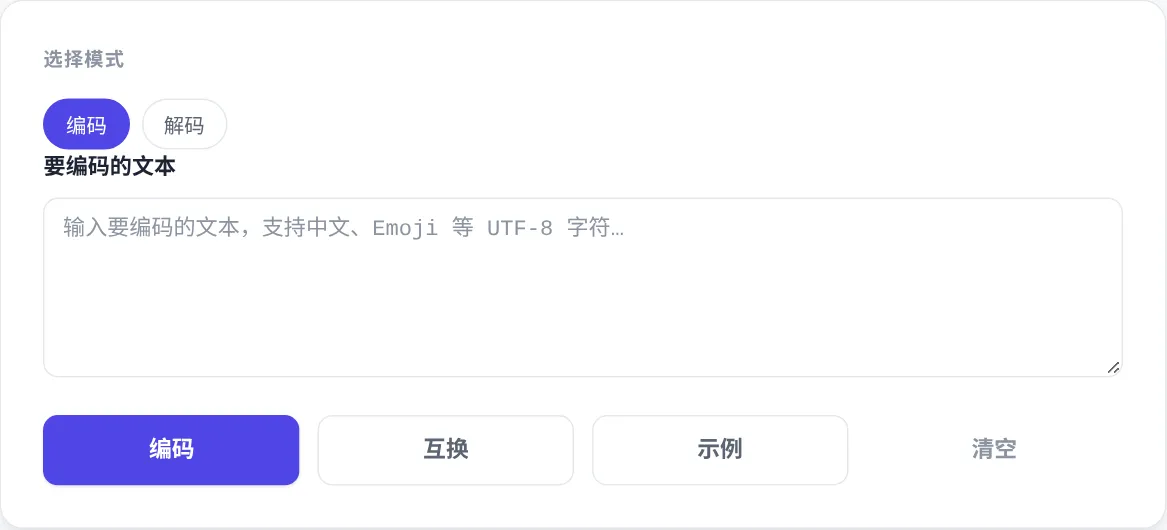
- Pick a mode at the top: "Encode" turns text into Base64; switch to "Decode" to turn Base64 back into readable text.
- Paste or type your content into the box: encode mode accepts any UTF-8 text, including Chinese, Japanese and emoji.
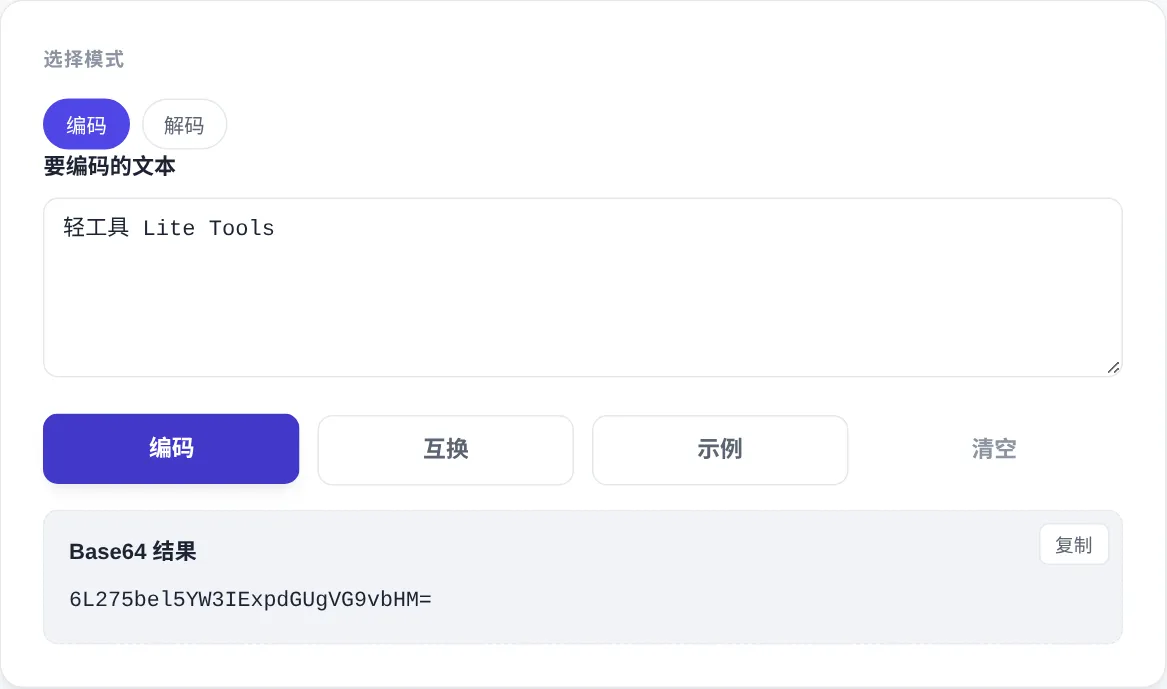
- Click the "Encode / Decode" button and the result appears below; use the "Copy" button in the top-right corner to grab it.
- To check a result, click "Swap" to move the output back into the input while switching modes automatically, then run it again in reverse.
- "Example" fills in a demo value for the current mode; "Clear" resets the input, result and any error message.
FAQ
Why does Chinese text stay intact?
What does "not a valid Base64 string" mean?
Decoding reports that the result is not valid UTF-8?
Is my content sent to a server?
Screenshots
How to use
- Pick encode or decode
Choose a mode chip at the top. Encode turns plain text into Base64. Decode restores Base64 into readable text. You can switch direction at any time.
- Paste the content
Type or paste into the input box. Encode mode accepts any UTF-8 text, including Chinese, Japanese, Korean and emoji, so multilingual content comes through without mojibake.
- Run and copy the result
Click the Encode or Decode button and the result appears in the output area below. Hit the Copy button in its top-right corner to take the string away.
- Verify with Swap
Click Swap to move the result back into the input and flip the mode automatically. Running it again reverses the operation, confirming the round-trip produced the original text.
- Read the error messages
A not-valid-Base64 message points to illegal characters or a wrong length. A not-valid-UTF-8 message means the decoded bytes are binary, such as an image, not text.
About this tool
Base64 is an encoding that represents arbitrary bytes using plain-text characters, which lets binary or tricky data travel through channels that only accept text. This tool handles both directions and encodes via UTF-8 bytes first. Chinese, Japanese and emoji survive a round trip without the mojibake that a bare Latin-1 conversion causes. Everything is computed locally in your browser, so tokens and credentials you paste never leave the device.
Common jobs include building Basic authentication headers, tucking binary payloads into JSON or query strings, preparing data URIs for small assets. It also decodes a Base64 blob a colleague sent you. Backend and frontend developers, QA engineers checking API payloads, and support staff debugging encoded parameters all use the two-way workflow. Encode, send, then paste the reply back and decode to confirm nothing was corrupted.
How it works
Base64 is easy to picture, and the rules come from RFC 4648. The encoder takes every 3 bytes, 24 bits, and splits them into four 6-bit groups. Each group maps to one character in a 64-character alphabet: 26 uppercase letters, 26 lowercase letters, 10 digits, plus and slash. When the input length is not a multiple of 3, the tail is zero-padded and closed with one or two equals signs. The mapping compresses nothing, and output always runs about a third larger than the input. Base64 exists to survive text-only channels, not to save storage space.
Carrying Base64 inside a URL hides a classic trap. A plus sign turns into a space in query strings, and the slash collides with path separators. The Base64url variant swaps those two characters for hyphen and underscore, and the three segments of a JWT are encoded exactly this way. A second trap lives in the browser built-in btoa. It only accepts Latin-1 character codes and throws on Chinese text unless you convert to UTF-8 bytes first. Many online tools produce mojibake because they skip that step silently.
When to use it
- Generating a Basic auth header
The Authorization header is the word Basic plus a Base64 of username:password. The colon between the two is what people forget. Encode the joined pair here and drop the result into the header; decoding a server-issued credential string back takes one paste.
- Reading a JWT payload
A JWT has three segments separated by dots, and the payload is Base64url that anyone can read. Swap hyphens back to plus and underscores to slash, then decode: the expiry time and custom claims appear immediately.
- Inlining small icons
Icons of a few kilobytes can be encoded, prefixed with data:image/png;base64, and written into CSS or HTML, saving one image request. Check the size first: only tiny decorative assets benefit, while large images slow the first paint.
Tips & tricks
- Use Swap as a free round-trip check: if decoding your own output reproduces the input character for character, the encoding is correct.
- Valid Base64 contains only letters, digits, plus, slash and up to two trailing equals signs. Its length is a multiple of four, so a truncated string usually triggers the error.
- If decoding reports invalid UTF-8, the original data was binary, such as an image, archive or encrypted blob. Use a dedicated file-to-Base64 tool instead.
Things to watch
- Line breaks every 76 characters
MIME requires a line break every 76 characters, so Base64 copied from email source or older systems carries wrapped lines. Decoding fails on those breaks, so strip all whitespace first and run the conversion again.
- Encoding is not encryption
Base64 is a change of notation, not secrecy. No key is involved and anyone can reverse it in one step. A password encoded into frontend code or a link is effectively published; protection belongs to TLS and server-side checks.
- Watch out for double encoding
A payload passed through several systems may get encoded twice, and the string decodes into another Base64-looking blob. If the first decode yields unreadable text, decode once more before assuming corruption, and ask the sender whether the value was processed twice.